Salesforce Data Cloud is the Salesforce data platform now officially branded as Data 360. It connects source data, maps it to the Customer 360 data model, resolves identities, creates insights, and activates the results in Salesforce apps, external channels, automation, analytics, and AI scenarios.
Last Updated: June 2, 2026. Salesforce documentation states that Data Cloud was rebranded to Data 360 on October 14, 2025, so this article uses both names where admins still search for the older term and where current Salesforce screens or docs use the newer term.
Salesforce Data Cloud: what it does in an org
Salesforce Data Cloud gives teams a governed way to work with customer and business data that does not fit cleanly inside standard CRM records. A Sales Cloud contact, a Service Cloud case, a commerce order, a mobile app event, a loyalty transaction, and a lakehouse row can all describe the same person. Data 360 provides the layer where those records can be connected, modeled, resolved, queried, segmented, and activated.
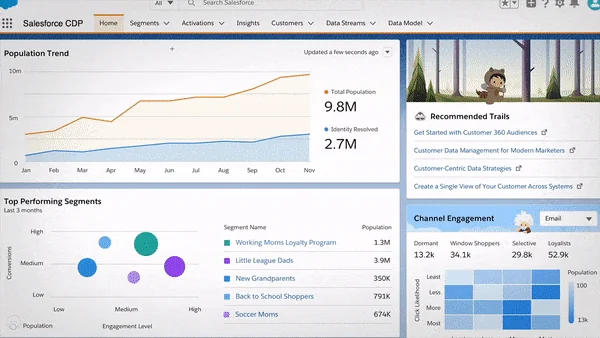
In enterprise orgs, the mistake is to treat the platform as a large custom object store. That usually creates duplicated logic, unclear ownership, and expensive downstream fixes. A better implementation starts with clear business questions: Which records identify a customer? Which events change the next action? Which attributes require consent checks? Which teams need the result inside Salesforce CRM, Tableau, Marketing Cloud, or an external application?
| Data 360 term | Plain meaning | Implementation note |
|---|---|---|
| Data Stream | A connected source and its ingested data | Review schedule, source keys, and refresh behavior before mapping. |
| Data Lake Object (DLO) | The object that stores ingested source data | Keep the source shape traceable for reconciliation and support. |
| Data Model Object (DMO) | A harmonized object mapped to the Customer 360 model | Use DMOs to normalize source data before identity resolution and insight logic. |
| Identity Resolution | Rules that link source profiles into unified profiles | Validate match and reconciliation rules with sample records before scale testing. |
| Calculated Insight | A metric or aggregate derived from modeled data | Use it for values such as lifetime spend, product count, or service risk score. |
| Activation | Publishing a segment or data output to a target | Confirm consent, fields, schedule, and target limits before production. |
What is data cloud salesforce in 2026?
The search phrase what is data cloud salesforce usually means: is this a CRM feature, a CDP, a lakehouse, or an integration tool? The practical answer is that Data 360 is a Salesforce-native data layer for connecting, harmonizing, querying, and activating data. It is not a replacement for Sales Cloud records, Service Cloud cases, or a data warehouse. It sits beside those systems and lets teams use data from many systems without forcing every use case into a CRM object design.
Salesforce Help describes Data 360 as a way to connect, unify, query, and segment data, while the developer documentation explains that Data 360 APIs can query data streams, profile objects, engagement objects, and unified data model objects. See the official overview at Salesforce Help: About Salesforce Data 360 and the developer guide at Salesforce Developers: Data 360 Developer Guide.
How Salesforce Data Cloud fits into Customer 360 architecture
Salesforce Data Cloud works best when the architecture separates four concerns: source ingestion, data modeling, identity resolution, and activation. Do not start by asking which connector is available. Start by defining the canonical entities: individual, account, contact point, order, interaction, product, consent, and any industry-specific entity your org needs.
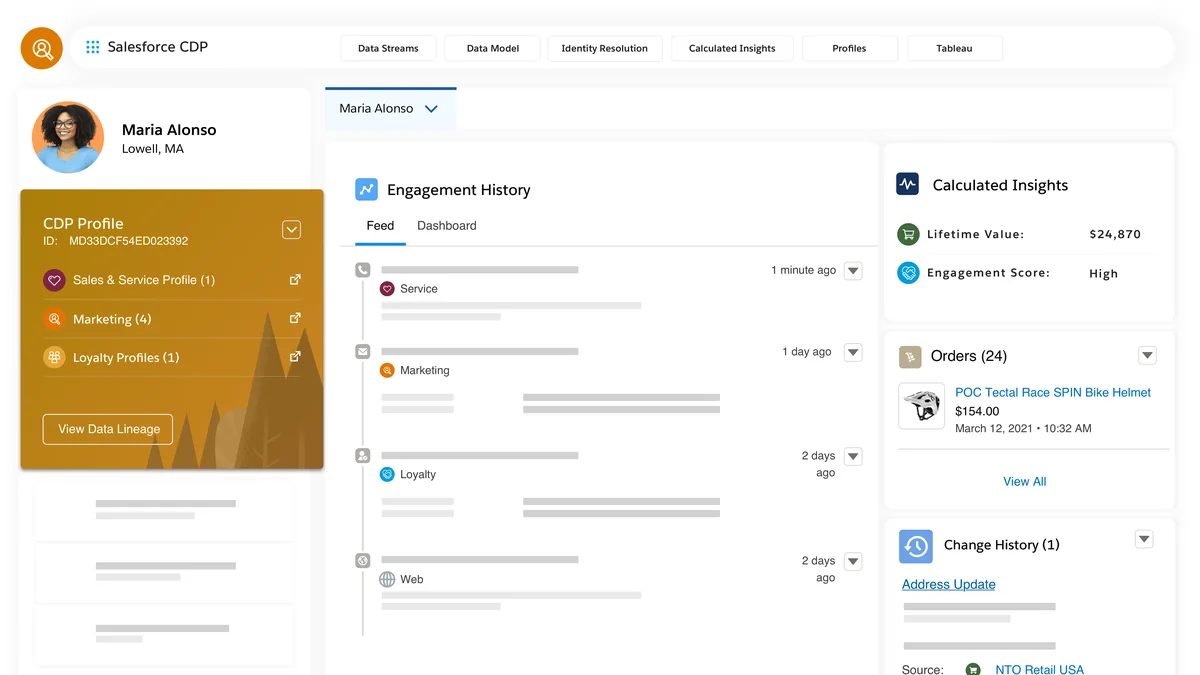
The core architecture has this flow:
- Connect data sources. Use data streams, connectors, ingestion APIs, or zero-copy data federation where appropriate.
- Preserve raw shape. Source records land as Data Lake Objects so administrators can trace what arrived from each system.
- Map to Data Model Objects. DMOs harmonize source fields into the Customer 360 model.
- Resolve identities. Match and reconciliation rules create unified profiles from source profile data.
- Calculate insights. SQL or visual builder definitions calculate measures used by users, segments, and processes.
- Activate results. Publish segments or data outputs to Salesforce, file targets, marketing destinations, flows, webhooks, or analytics.
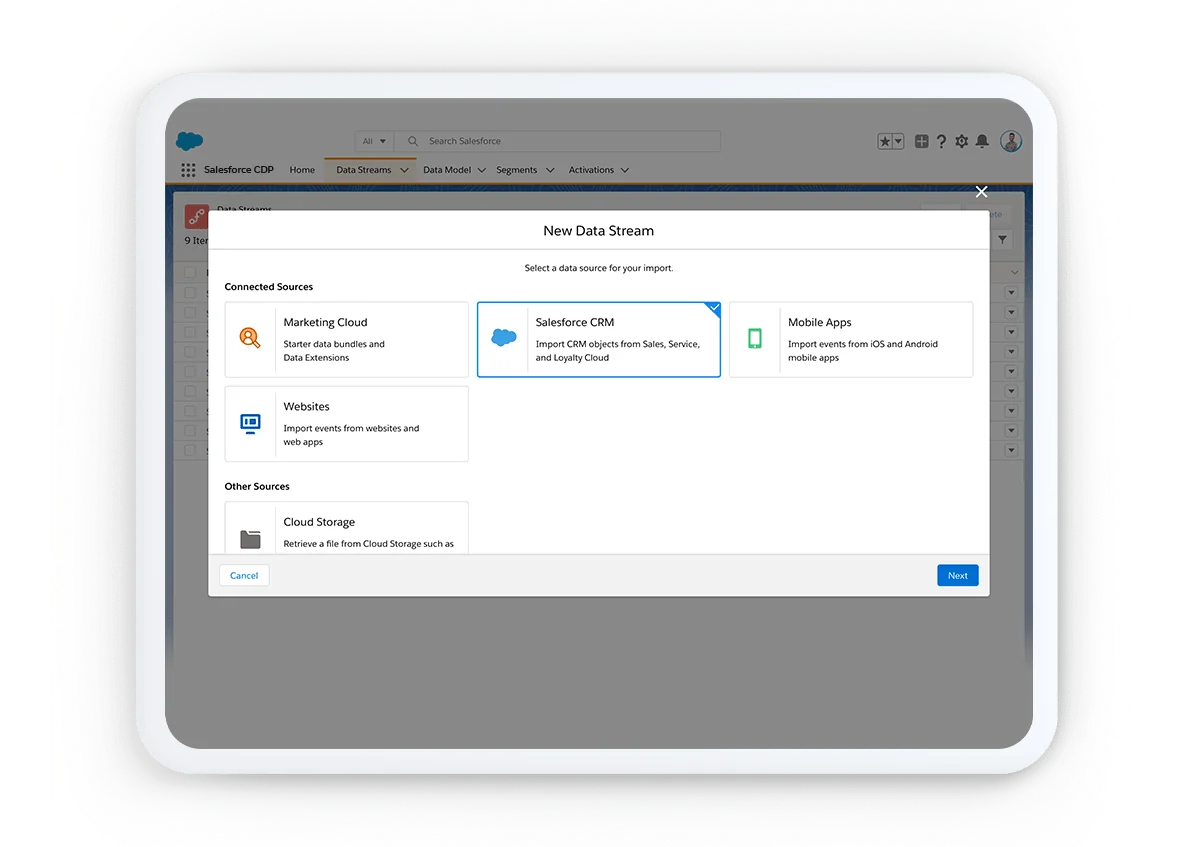
For multi-brand, multi-region, or regulated implementations, define data spaces before large-scale mapping. Salesforce Help defines a data space as a logical partition for profile unification, insights, and marketing in Data 360. In practice, data spaces help separate data and metadata by brand, region, or business unit without creating a new org for every boundary.
SFDC data: where CRM records fit
SFDC data from Account, Contact, Lead, Opportunity, Case, and custom objects can feed Data 360, but the design goal is not to mirror every CRM field. Bring the fields that support identity, segmentation, scoring, analytics, or activation. Keep operational transaction processing in Salesforce CRM; use Data 360 when the use case needs cross-system context or high-scale analytical data.
For example, a service console may only need the current case and account record for daily work. A churn-risk view may need case volume, order history, product telemetry, renewal dates, and web behavior. The second pattern is where Data 360 earns its place because the signal crosses several systems.
Salesforce Data Cloud customer data platform use cases
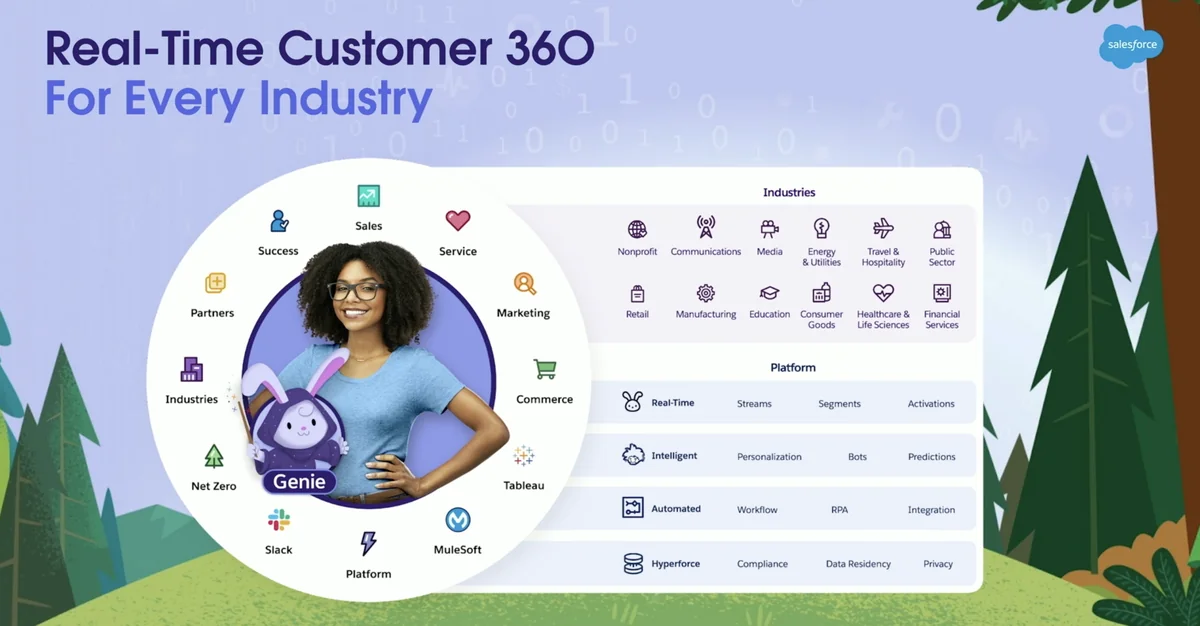
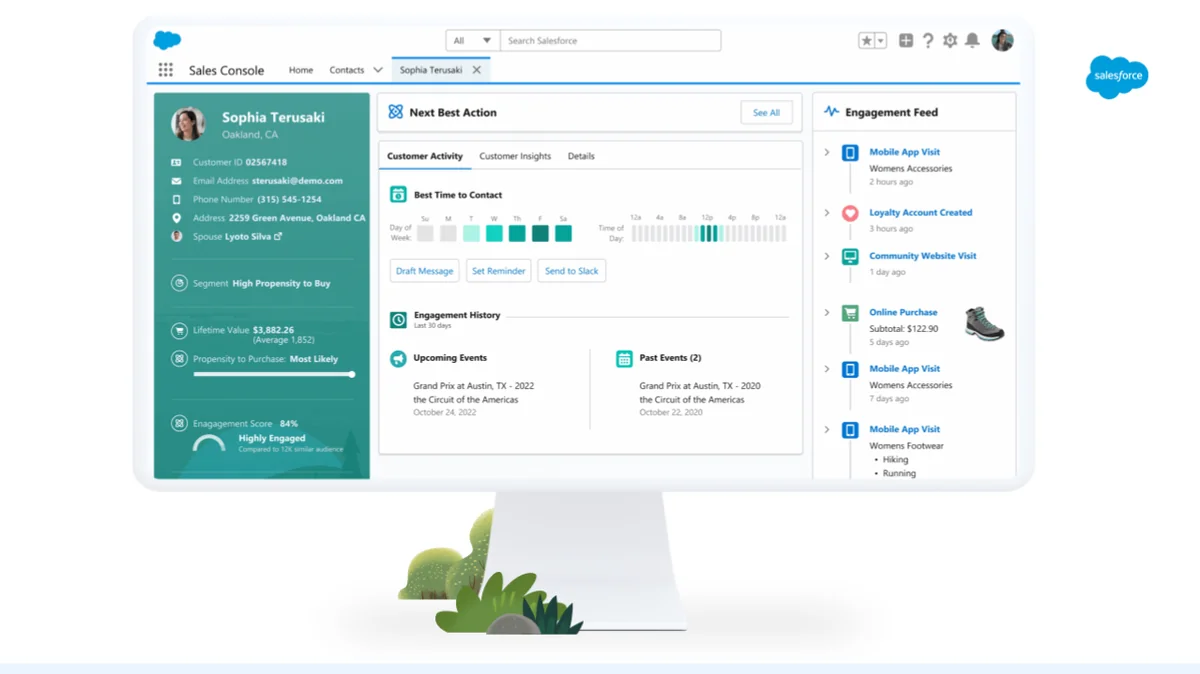
The phrase salesforce data cloud customer data platform is still useful because many teams compare Data 360 with CDP products. The platform supports CDP-style patterns such as unified profiles, audience segments, calculated insights, and activation. The difference is scope. A marketing CDP focuses on audience building and channel activation. Data 360 also supports service, sales, commerce, analytics, automation, and AI scenarios across the Salesforce platform.
| Use case | Data needed | Data 360 output | Where it is used |
|---|---|---|---|
| Service risk routing | Cases, entitlements, purchase value, product events | Risk tier or calculated insight | Service Console, Flow, queues |
| Cross-sell readiness | Opportunities, product holdings, usage events | Segment or score | Sales Cloud, Tableau, external app |
| Consent-aware marketing | Contact points, consent records, engagement events | Eligible segment | Marketing activation target |
| Commerce recovery | Cart events, orders, customer profile, support status | Abandoned-cart or suppression segment | Journey, ad target, service follow-up |
| AI grounding | Unified profile, insights, product usage, knowledge context | Context available to apps or agent workflows | Agentforce or custom app, subject to permissions and feature availability |
Salesforce vs Salesforce: CRM org data vs Data 360 data
The query salesforce vs salesforce often appears when users compare two Salesforce layers that seem to overlap. Think of it as Salesforce CRM records versus Salesforce Data 360 data. CRM records run daily sales, service, and platform transactions. Data 360 stores and processes harmonized, high-scale data for unification, insight, segmentation, and activation.
Do not copy every Data 360 field back into CRM. That creates storage cost, sync timing issues, and security review work. Instead, surface only the fields users need to act: a score, a segment membership, a recent event summary, or a calculated metric. Keep detailed event history and large analytical sets in Data 360 or the connected data platform.
How to implement Salesforce Data Cloud without rework
A Salesforce Data Cloud project should look more like a data architecture project than a connector setup task. The following order reduces rework in production orgs.
- Define the decision. Write the user action first, such as “route a high-risk customer to a senior service queue” or “suppress customers with open escalations from renewal campaigns.”
- Inventory source systems. Identify CRM objects, lakehouse tables, commerce events, marketing engagement, service data, consent sources, and ownership.
- Choose identity keys. Email alone is rarely enough. Evaluate source ID, account ID, person ID, phone, address, loyalty ID, and system-specific identifiers.
- Design data spaces. Separate business units, brands, or regions when governance requires it.
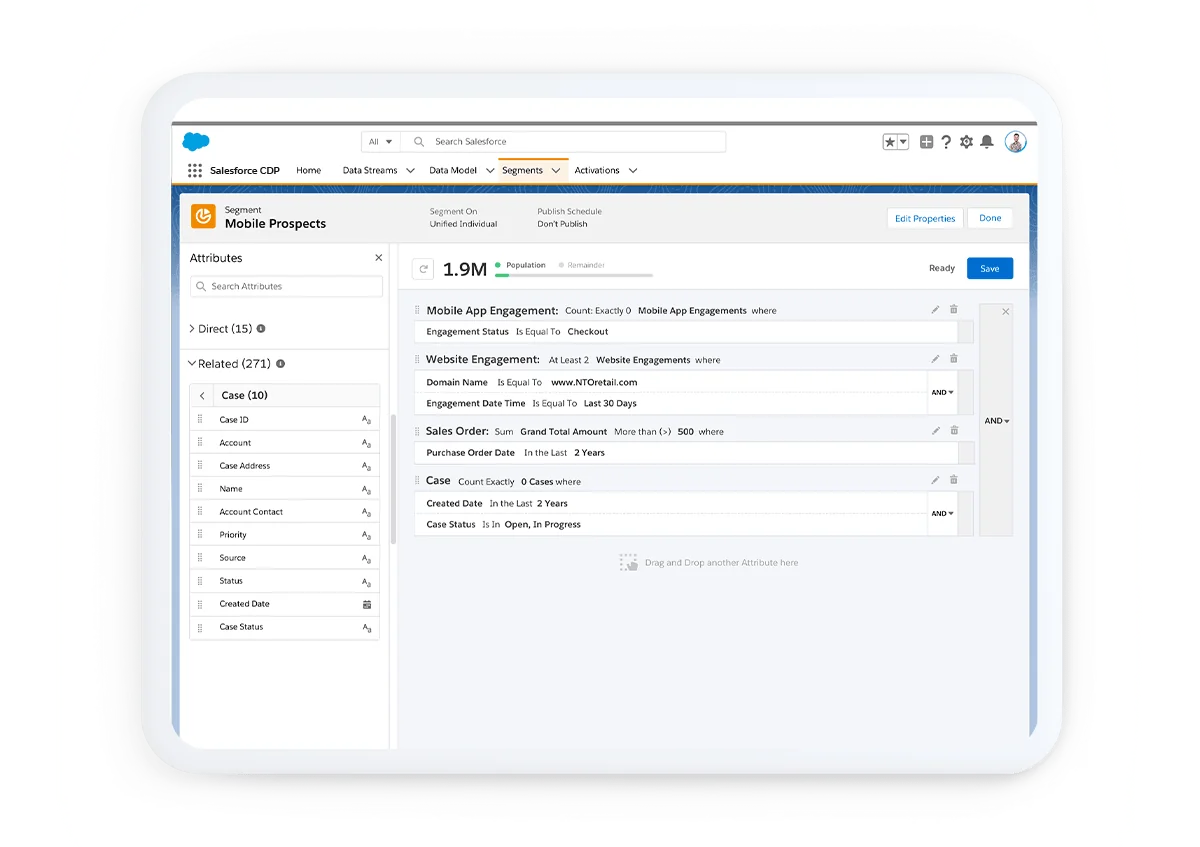
- Create data streams and mappings. Map source fields into DMOs. Document transformations and key qualifiers.
- Configure identity resolution. Build match rules and reconciliation rules, then inspect false merges and missed matches.
- Create calculated insights. Start with metrics that drive a decision. Avoid building metrics that no screen, flow, segment, or dashboard consumes.
- Activate in small slices. Publish one segment or one insight to one target, validate field values and consent, then scale.
- Monitor limits and usage. Check ingestion, query, segmentation, calculated insight, and activation consumption against Salesforce’s current limits and billing model.
Use a sandbox or dedicated non-production environment for mapping, identity rules, and data action testing. The riskiest defects are not syntax errors. They are silent data quality errors: two people merged into one profile, one person split into several profiles, stale consent, or a score calculated from the wrong currency or date window.
How to query and build with Salesforce Data Cloud
Admins can use Data Explorer, Profile Explorer, segments, and calculated insights. Developers can use Data 360 SQL, Query API, Connect REST API, Connect API in Apex, SOQL for supported Data 360 objects, and Metadata API for supported metadata. Salesforce’s current Data 360 Connect REST API reference is listed as API v66.0, while the Query API documentation also shows the SQL endpoint pattern with /services/data/v64.0/ssot/query-sql. Use the current API version supported by your org and package baseline.
Use SQL when the question is analytical and crosses modeled data. The following example uses fictional API names so the syntax pattern is clear. Replace the DMO and field API names with the names from your Data 360 metadata.
SELECT
  CustomerId__c,
  COUNT(*) AS OrderCount,
  SUM(OrderAmount__c) AS LifetimeOrderValue
FROM WebOrder__dlm
WHERE OrderDate__c >= DATE '2026-01-01'
GROUP BY CustomerId__c
ORDER BY LifetimeOrderValue DESC
LIMIT 100;
For integrations, the Salesforce Developers Query API reference can submit SQL, check status, and retrieve rows with pagination. Filter early, select only needed columns, and use LIMIT during development. Salesforce’s Query API guidance also recommends pagination and careful joins, especially when key qualifiers can affect join behavior.
POST https://{dne_cdpInstanceUrl}/services/data/v64.0/ssot/query-sql
Authorization: Bearer {access_token}
Content-Type: application/json

{
  "sql": "SELECT CustomerId__c, SUM(OrderAmount__c) AS LifetimeOrderValue FROM WebOrder__dlm GROUP BY CustomerId__c LIMIT 100"
}
When you build platform apps, review whether Connect REST API, Connect API in Apex, Data 360 API, SOQL, or Metadata API is the right interface. Salesforce’s custom app development guide says Connect API in Apex exposes a subset of Data 360 resources and does not provide access to profiles or universal ID lookups. That limitation matters when a developer assumes every REST capability exists in Apex.
A Salesforce Data Cloud design also needs a release and ownership plan. Name the data owner, the source system owner, the Salesforce admin owner, and the integration owner before the first production activation. Salesforce Data Cloud becomes harder to support when field definitions, refresh schedules, and identity rules live only in project notes.
Best practices for Salesforce Data Cloud security and performance
Security design starts before data arrives. Data 360 access depends on licenses, standard or custom permission sets, data space access, object access, and the downstream target. If a user can see a calculated insight in CRM, the team must confirm how the value was derived and whether the underlying data is appropriate for that user population.
- Use least privilege. Assign standard Data 360 permission sets only to users who need those capabilities. Clone standard permission sets for custom access when Salesforce recommends that path for the feature.
- Model consent as data. Consent and contact point data should participate in segmentation and activation decisions, not sit in a separate spreadsheet.
- Filter before querying. Large Data 360 queries should use selective
WHEREclauses, specific columns, and pagination. - Avoid record duplication. Do not sync every insight or event to CRM. Surface summary fields or related views that help the user act.
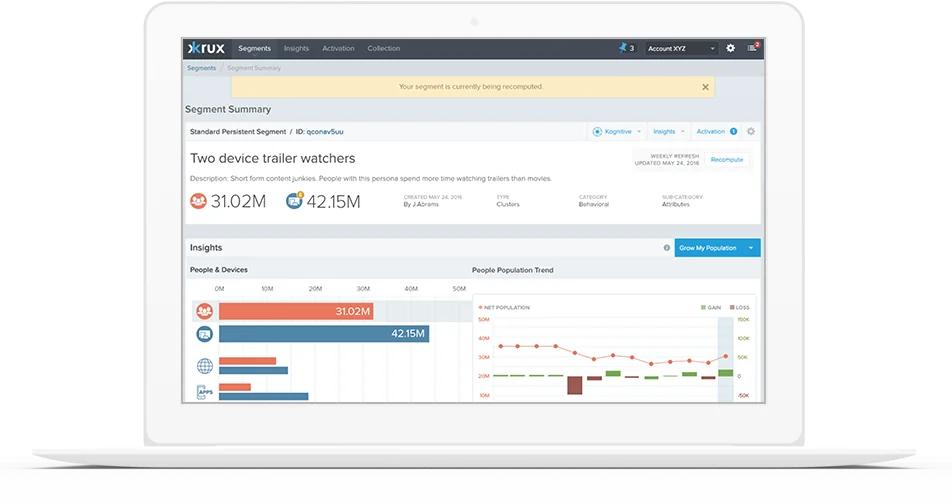
- Validate identity resolution. Review match rates, duplicate clusters, and records that do not unify. Use calculated insights or audit queries to inspect quality.
- Plan for usage consumption. Ingestion, federation, segmentation, calculated insights, and activation can affect consumption. Check Salesforce Help for current billing and usage definitions before production rollout.
- Test automations with real data shapes. Data Cloud-triggered flows start when conditions are met in a DMO. Test nulls, delayed data, duplicate source records, and replay behavior.
Zero-copy data federation can reduce copying when the data already lives in an external data platform, but it is not a reason to skip modeling. Salesforce describes zero-copy data federation as querying physically distinct data sources so users can treat them as part of the Data 360 data layer. You still need governance, query design, access control, and cost review.
For architects, Salesforce Data Cloud should have its own backlog, testing approach, and runbook. For admins, Salesforce Data Cloud should expose only the fields and segments users need to take action. For developers, Salesforce Data Cloud should be queried with selective filters and monitored API behavior.
Common errors with Salesforce Data Cloud projects
| Error | Why it happens | How to fix it |
|---|---|---|
| Starting with connectors instead of use cases | The team maps data that no one uses. | Write the business action and target screen before data stream creation. |
| Using email as the only identity rule | Shared, missing, changed, or duplicate emails create bad merges. | Use multiple identifiers and inspect match results before activation. |
| Copying all insights back to CRM | CRM becomes a reporting cache instead of a transaction system. | Sync only action-driving fields and keep detailed analytical data in Data 360. |
| Ignoring data spaces | Brand, region, or business-unit boundaries are discovered late. | Design data spaces during architecture, not after mapping. |
| Building segments without consent checks | Targeting rules miss opt-out or regional consent requirements. | Model consent and suppression logic as part of segment criteria. |
| Writing broad queries in production | Developers test with small data and later scan large objects. | Use filters, selected columns, row limits, pagination, and query plans where available. |
When Salesforce Data Cloud is the right choice
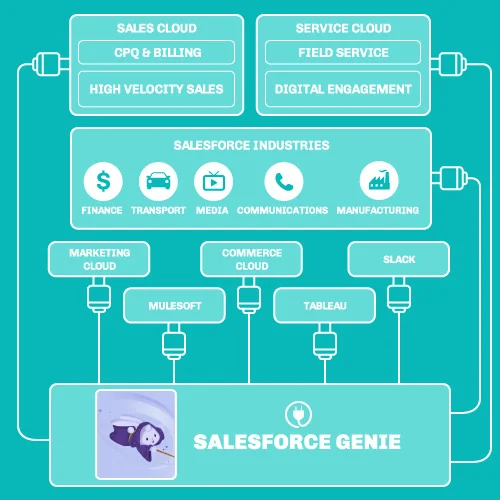
Use Salesforce Data Cloud when the use case needs unified profiles, cross-system data, high-scale events, calculated metrics, or activation across more than one channel. Use standard Salesforce CRM configuration when the data belongs to a single operational process and the records already live inside the org. Use MuleSoft or direct APIs when the immediate problem is system-to-system transaction integration rather than profile unification or segmentation.
For related implementation skills, see Salesforce data model design, Salesforce Flow automation patterns, Apex governor limits, Salesforce integration patterns, and SOQL query examples.
Frequently Asked Questions
Is Salesforce Data Cloud the same as Data 360?
Yes. Salesforce states that Data Cloud was rebranded to Data 360 on October 14, 2025. During the transition, admins may still see the Data Cloud name in older screens, packages, documentation paths, APIs, or community discussions.
What is data cloud salesforce used for?
The phrase what is data cloud salesforce usually points to customer data unification. In practice, Data 360 connects source data, maps it to Data Model Objects, resolves identities, creates calculated insights, builds segments, and activates data in Salesforce or external targets.
Is Salesforce Data Cloud a customer data platform?
Salesforce Data Cloud can support customer data platform use cases such as unified profiles, segmentation, and activation. It also extends beyond marketing CDP work because the same governed data can support sales, service, commerce, analytics, automation, and AI workflows.
Can Salesforce Data Cloud query external data without copying it?
Yes, when the source and feature configuration support zero-copy data federation. Salesforce describes zero-copy data federation as a way to query physically distinct data sources without ingesting all data directly into Data 360. Architects still need to review permissions, query design, consumption, and governance.
Can developers query Salesforce Data Cloud with SOQL?
Yes, Salesforce documentation says SOQL can query supported Data 360 objects such as Data Model Objects, Unified Profile, and source objects, with limitations. Developers can also use Data 360 SQL through Query API, Connect REST API, and supported Apex Connect API methods.
What should an admin check before activating a Data 360 segment?
Check the segment criteria, identity resolution status, consent rules, activation target, required fields, refresh schedule, and expected record count. Also test a small activation first so the team can verify field mapping and suppression behavior before a production send or automation.
Summary
Salesforce Data Cloud, now Data 360, is useful when customer context spans CRM, engagement, commerce, service, and external systems. The implementation succeeds when the team models data carefully, resolves identities with evidence, calculates only decision-driving insights, protects access through permissions and data spaces, and activates data only after validation.