Apex code is Salesforce server-side logic written in Apex for triggers, classes, async jobs, integrations, and custom business rules. Use it when Flow, validation rules, or standard automation cannot express the requirement safely, especially when you need transaction control, complex SOQL, or reusable services.
This article covers the server-side patterns that matter in production: bulk logic, SOQL and DML limits, hard-coded IDs, sharing, CRUD/FLS, the System class, and tests.
What is Apex Code?
Apex is a strongly typed, object-oriented language that runs on Salesforce servers. Salesforce documents Apex as a language for adding business logic to record changes, button clicks, service requests, and database transactions. Start with the official What is Apex? page and the Apex Basics & Database module.
When to use sfdc apex instead of Flow
Use sfdc apex when the requirement needs collection-based processing, controlled error handling, an integration callout, a Queueable job, or a reusable service. Use Flow for admin-owned automation that can be maintained through Setup. Many enterprise orgs use both: Flow handles the screen or orchestration, while Apex handles the typed service method.
| Need | Better fit | Reason |
|---|---|---|
| Simple field update | Flow | Admin-maintained automation |
| 200-record trigger load | Apex | Sets, maps, and bulk tests |
| HTTP callout with parsing | Apex | Typed logic and async control |
| Reusable domain rule | Apex | One service can be called from many entry points |
How to Write Bulk-Safe Apex Code
Bulk-safe Apex handles one record and many records with the same path. Triggers receive collections through context variables such as Trigger.new, Trigger.oldMap, and Trigger.newMap. A trigger can run from UI save, API, Flow, Bulk API, or data migration.
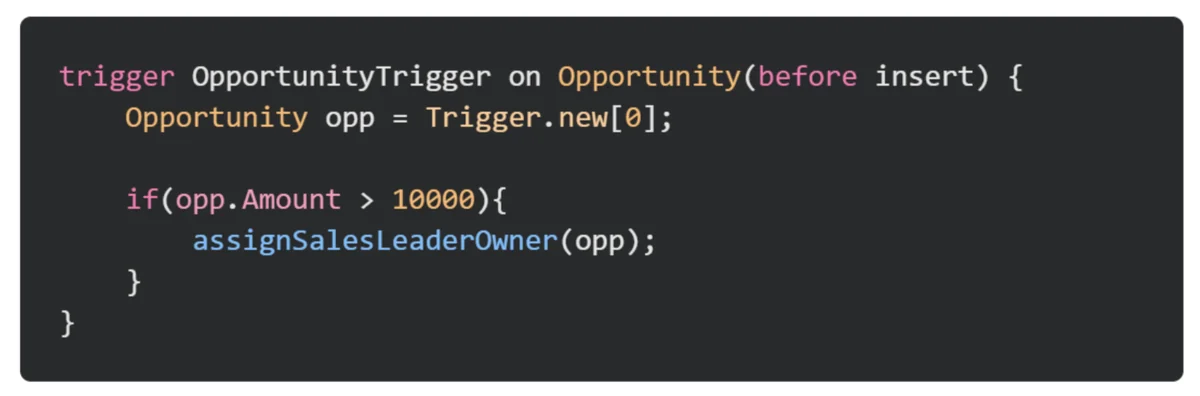
This image represents the failure mode: code written around one row. It may pass a manual UI test and still fail during a data load.
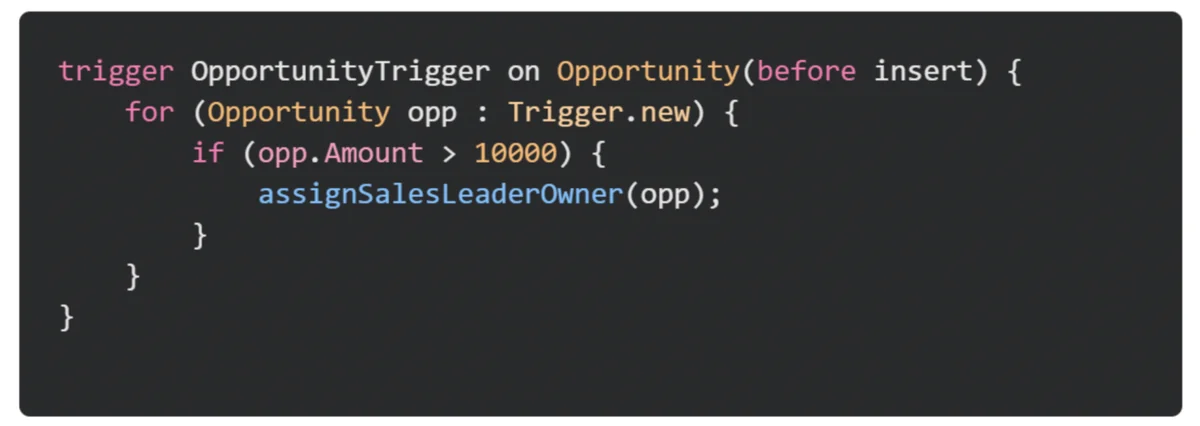
The safer pattern processes the full trigger collection. This is one of the core sfdc best practices because governor limits apply to the whole transaction.
Sfdc apex trigger pattern for one record or 200 records
trigger OpportunityTrigger on Opportunity (before insert, before update) {
    if (Trigger.isBefore && (Trigger.isInsert || Trigger.isUpdate)) {
        OpportunityTriggerHandler.beforeSave(Trigger.new);
    }
}

public without sharing class OpportunityTriggerHandler {
    public static void beforeSave(List<Opportunity> rows) {
        Set<Id> accountIds = new Set<Id>();
        for (Opportunity opp : rows) if (opp.AccountId != null) accountIds.add(opp.AccountId);
        Map<Id, Account> accountsById = new Map<Id, Account>([
            SELECT Id, NumberOfEmployees FROM Account WHERE Id IN :accountIds
        ]);
        for (Opportunity opp : rows) {
            Account acct = accountsById.get(opp.AccountId);
            if (acct != null && acct.NumberOfEmployees > 1000) opp.NextStep = 'Enterprise review';
        }
    }
}
Sfdc best practices for bulkification
sfdc best practices for triggers are consistent: collect IDs in a set, query once, use maps for lookup, avoid DML in before triggers when you can update Trigger.new, and run DML after loops when records must be saved separately.
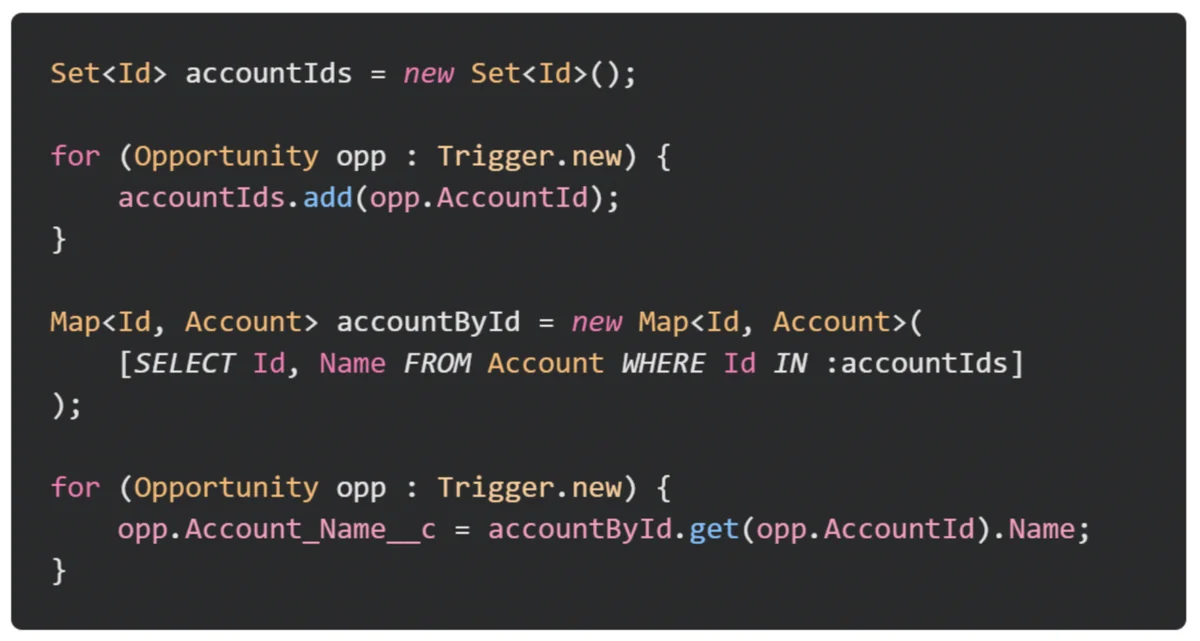
How to Handle SOQL, DML, and Governor Limits
Salesforce governor limits protect the multitenant platform. The official limits docs cover SOQL query count, DML statement count, heap size, CPU time, and callouts. Review Execution Governors and Limits before designing heavy automation.
Salesforce development best practices for SOQL and DML
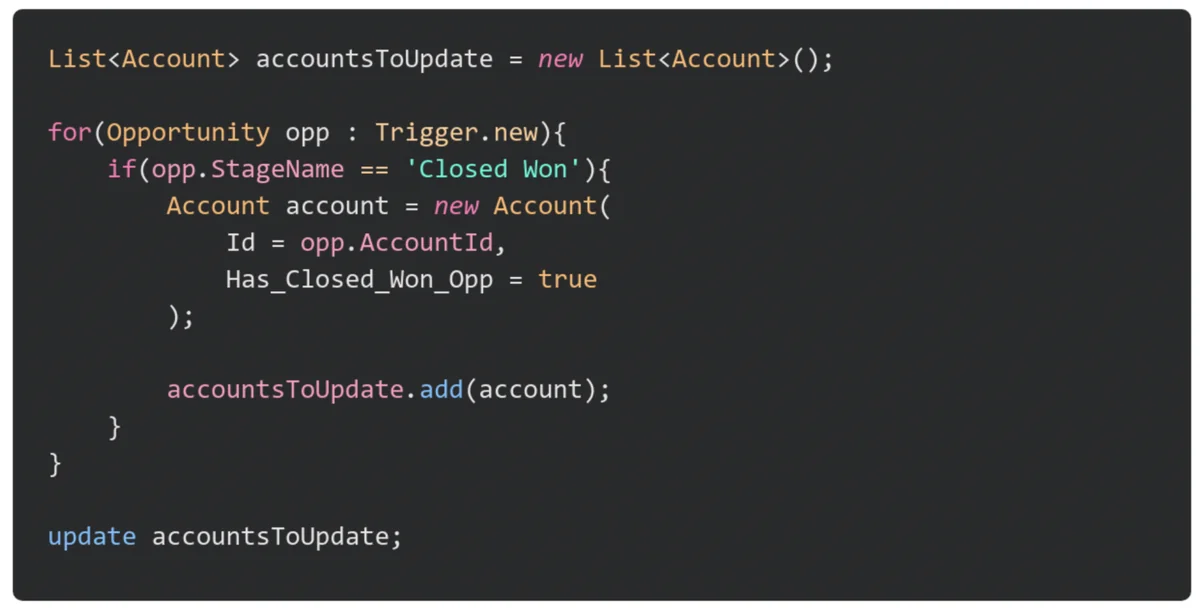
salesforce development best practices require SOQL outside loops and DML outside loops. Query the data once, build changes in memory, then save the list.
public inherited sharing class AccountReviewService {
    public static void markForReview(Set<Id> accountIds) {
        List<Account> updates = new List<Account>();
        for (Account acct : [SELECT Id, Description FROM Account WHERE Id IN :accountIds]) {
            acct.Description = 'Review required';
            updates.add(acct);
        }
        if (!updates.isEmpty()) update updates;
    }
}
Sfdc apex SOQL outside loops
For Apex services, querying inside a loop is the common limit defect. Use WHERE Id IN :ids, then store results in a map. Use the official SOQL and SOSL Queries guide for syntax.
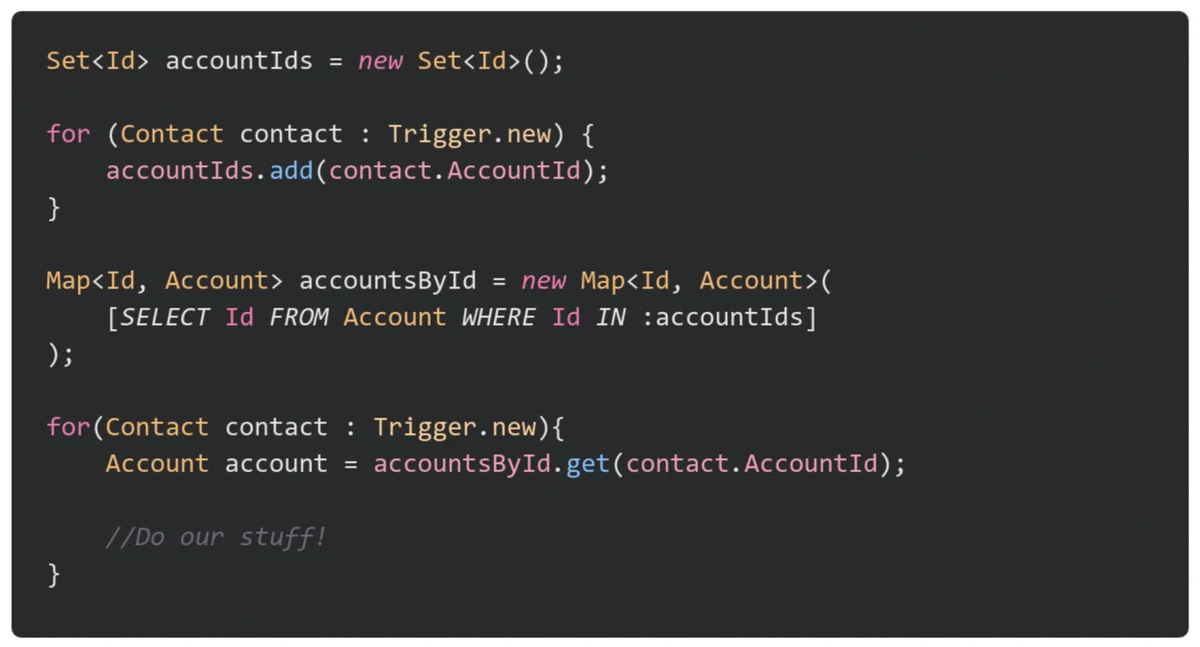
SOQL for loops for larger reads
A SOQL for loop can reduce heap pressure because Salesforce can process records in chunks. The official SOQL For Loops guide notes that sObject list for loops process records in batches of 200. Use Batch Apex for large updates.

How to Avoid Hard-Coded IDs in Apex Code
Hard-coded IDs fail across sandboxes, scratch orgs, and production. For record types, retrieve the ID by developer name through describe metadata, as documented in DescribeSObjectResult.
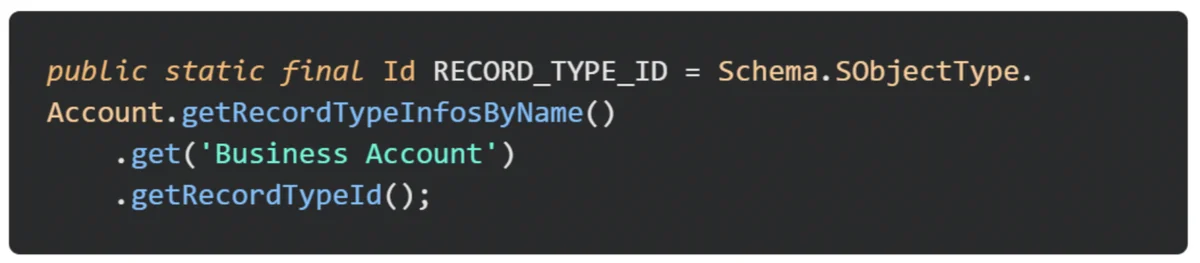
Id supportCaseRecordTypeId = Schema.SObjectType.Case
    .getRecordTypeInfosByDeveloperName()
    .get('Customer_Support')
    .getRecordTypeId();
For environment-specific values such as queue IDs, endpoint names, or routing accounts, store configuration in Custom Metadata Types instead of Apex constants.
Salesforce Development Best Practices for Secure Apex
Salesforce development best practices for security require explicit sharing and CRUD/FLS handling. with sharing enforces record sharing, but it does not by itself prove every object and field permission path is safe.
Sharing declarations
Use with sharing when the class must respect record access, without sharing only for documented system work, and inherited sharing when the service should follow the entry point. Salesforce documents these keywords in the sharing keyword guide.
User mode, WITH SECURITY_ENFORCED, and stripInaccessible
For user-facing services, use user-mode database operations when the running user’s sharing, CRUD, FLS, and Restriction Rules should apply. WITH SECURITY_ENFORCED checks object and field permissions for selected fields. Security.stripInaccessible removes fields the user cannot access before DML or serialization.
public inherited sharing class AccountNameService {
    public static List<Account> findVisibleAccounts(String fragment) {
        if (String.isBlank(fragment)) return new List<Account>();
        String pattern = '%' + fragment.trim() + '%';
        return [SELECT Id, Name FROM Account WHERE Name LIKE :pattern WITH USER_MODE LIMIT 50];
    }
}
System class apex examples for debugging and assertions
system class apex refers to the System namespace and built-in methods such as System.debug and System.assertEquals. Use debug logs for diagnosis and assertions in tests to prove behavior.
System.debug(LoggingLevel.INFO, 'Account review started');
System.assertEquals('Enterprise review', savedOpportunity.NextStep);
How to Structure Triggers and Apex Services
Use one trigger per object and move logic into classes. Salesforce states that if more than one trigger is defined on an object for the same event, execution order is not guaranteed. See Triggers and Order of Execution.
- Trigger: route context only.
- Handler: coordinate before and after events.
- Service: own business logic.
- Selector: centralize SOQL and return only needed fields.
How to Test Apex Code Before Deployment
Salesforce requires tests before production deployment. Official docs state that tests must cover at least 75% of Apex code, all tests must pass, and every trigger must have some coverage. See Testing and Code Coverage and Trailhead’s Apex Unit Tests module.
@IsTest
private class OpportunityTriggerHandlerTest {
    @IsTest static void handlesBulkInsert() {
        Account acct = new Account(Name = 'Acme', NumberOfEmployees = 2000);
        insert acct;
        List<Opportunity> rows = new List<Opportunity>();
        for (Integer i = 0; i < 200; i++) rows.add(new Opportunity(Name='Opp '+i, StageName='Prospecting', CloseDate=Date.today().addDays(30), AccountId=acct.Id));
        insert rows;
        System.assertEquals(200, [SELECT count() FROM Opportunity WHERE AccountId = :acct.Id AND NextStep = 'Enterprise review']);
    }
}
Apex Review Checklist
Before deployment, check whether the implementation handles 200 records, avoids SOQL and DML in loops, declares sharing intent, avoids hard-coded IDs, and has tests for single, bulk, negative, and security paths.
Related SalesforceTutorial Resources
Read Lightning Web Components examples, Salesforce Data Loader guide, Salesforce Reports tutorial, Salesforce Flow automation guide, and Salesforce Admin Certification preparation.
Frequently Asked Questions
What is apex code used for in Salesforce?
Apex is used for server-side Salesforce logic such as triggers, service classes, asynchronous jobs, custom REST endpoints, integrations, and reusable business rules. Use it when declarative automation cannot handle the requirement with enough control, performance, or testability.
What are the most important sfdc best practices for Apex triggers?
The most important sfdc best practices are one trigger per object, no SOQL or DML inside loops, bulk-safe logic for 200 records, explicit sharing behavior, no hard-coded IDs, and tests that assert behavior.
How is sfdc apex different from Flow?
sfdc apex is code that runs on Salesforce servers. Flow is declarative automation built through Setup. Apex is better for typed services, complex related-record logic, integrations, async processing, and reusable frameworks.
Does Salesforce require 75% test coverage for Apex code?
Yes. Salesforce documentation states that tests must cover at least 75% of Apex code for deployment, all tests must pass, and every trigger must have some coverage.
What does system class apex mean?
system class apex usually means the System namespace in the Apex Reference Guide, including methods such as System.debug, System.assertEquals, and System.now.