Salesforce Data Loader provides delete and export operations for bulk data management. This guide covers both operations with practical examples, data security considerations, and common interview questions for Salesforce administrators and developers.
How to Delete Records Using Salesforce Data Loader
The delete operation removes records from your Salesforce org using record IDs. This operation requires careful preparation and security considerations.
Prerequisites for Data Loader Delete Operations
- Delete permission on the target object
- Valid record IDs in CSV format
- Data Loader installed and configured
- Backup of records before deletion (recommended)
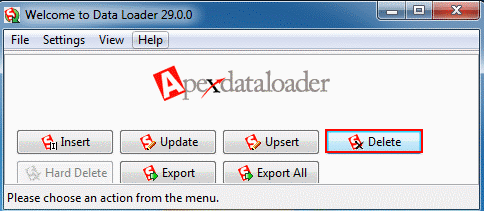
Open Data Loader and select the Delete operation from the main interface.
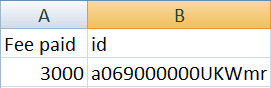
Preparing CSV File for Delete Operation
Create a CSV file containing only the record IDs you want to delete. The file must include an “Id” column with valid 15 or 18-character Salesforce record IDs.
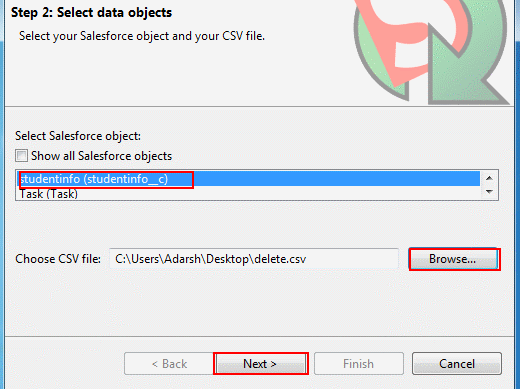
Configuring Delete Operation Settings
Select the target object and browse to your prepared CSV file. Data Loader validates the file format and record structure.
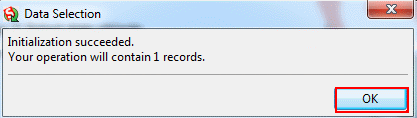
Data selection validates successfully. Click OK to proceed to field mapping.
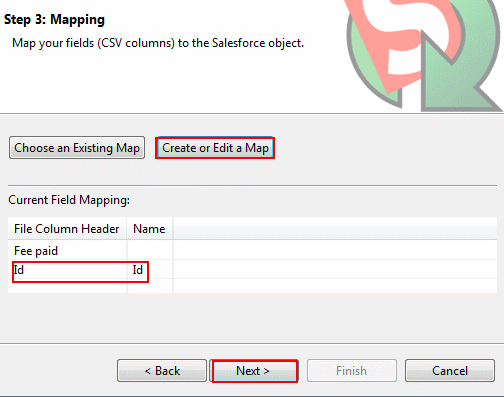
Field Mapping for Delete Operations
Map the CSV “Id” column to the Salesforce “Id” field by dragging the field from the left panel to the right panel. Only the Id field mapping is required for delete operations.
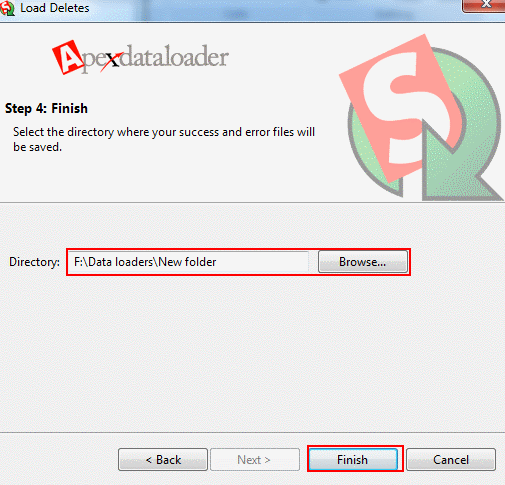
Review your settings and click Finish to proceed with the delete operation.
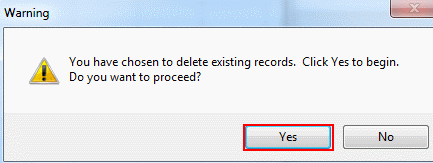
Confirming Delete Operation
Data Loader displays a confirmation dialog. Click Yes to confirm the delete operation. This action cannot be undone without restoring from backup.
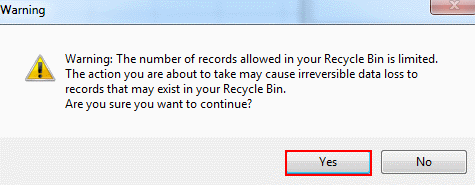
A warning message appears reminding you that deleted records cannot be recovered. Select Yes to proceed.
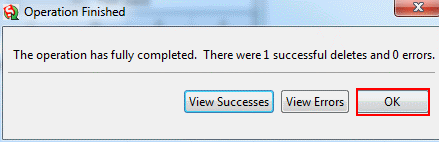
The delete operation completes successfully. Data Loader displays the number of records processed and any errors encountered.
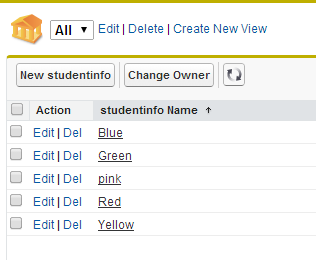
Verify the deletion by checking your Salesforce org. The specified records are permanently removed from the system.
How to Export Records from Salesforce Using Data Loader
The export operation extracts records from Salesforce objects to CSV files. This operation supports SOQL queries for filtered data extraction.
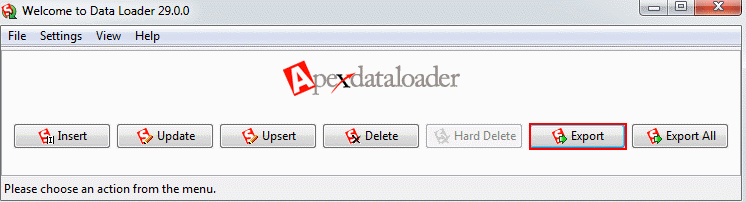
Select the Export operation from the Data Loader main interface.
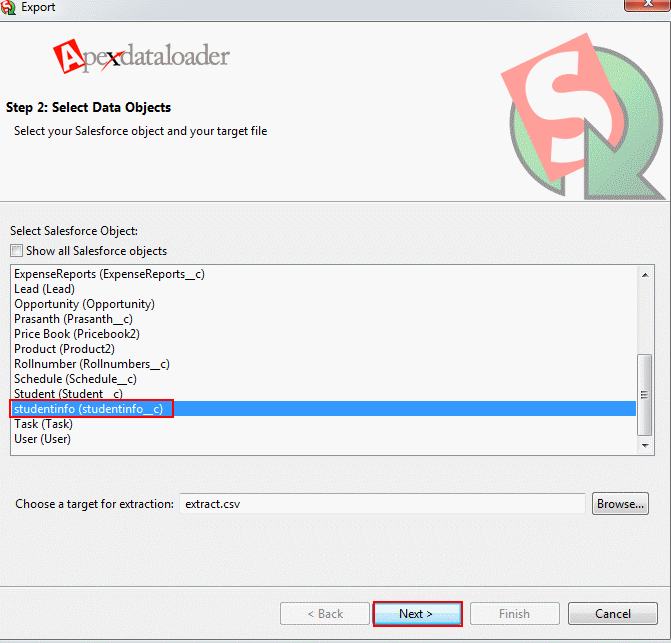
Configuring Export Settings
Select the target object and specify the destination folder for your CSV file. Choose the fields you want to export from the available field list.
For this example, we selected Studentname__c, Subject1__c, Subject2__c, Subject3__c, and course name from the Studentinfo__c object.
Click Finish to start the export process.
Confirm the export operation by clicking Yes when prompted.
Viewing Exported Data
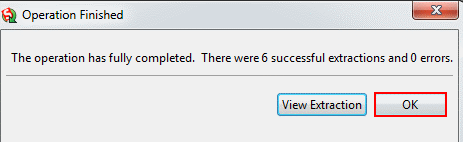
The export operation completes successfully. Open the generated CSV file to view the extracted records and fields.
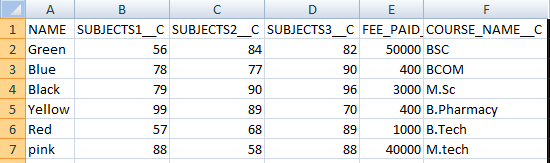
The exported CSV file contains records with column headers matching the field names selected during the export process.
Data Security Considerations for Data Loader Operations
Data security in Salesforce requires careful attention during Data Loader operations. Consider these security aspects:
Permission Requirements
- Delete permission on target objects for delete operations
- Read permission on objects and fields for export operations
- Field-level security settings affect export results
- Sharing rules determine record visibility during export
Data Protection Best Practices
- Create backups before delete operations
- Use sandbox environments for testing
- Validate CSV files before processing
- Monitor Data Loader log files for errors
- Implement proper access controls on exported files
Salesforce Chatter Data Model Considerations
When working with Chatter-enabled objects, consider the Chatter data model impact:
- FeedItem and FeedComment records link to parent objects
- Deleting parent records affects related Chatter posts
- Export operations can include Chatter feed data
- Feed tracking history requires separate export queries
Data Loader Interview Questions and Answers
Common Salesforce Data Loader interview questions focus on operations, limitations, and best practices.
Technical Interview Topics
- Data Loader operation types and use cases
- CSV file format requirements
- Field mapping and data transformation
- Error handling and troubleshooting
- Governor limits and bulk API considerations
Frequently Asked Questions
What are the main Salesforce Data Loader operations?
Data Loader supports six operations: Insert (create new records), Update (modify existing records), Upsert (insert or update based on external ID), Delete (remove records), Export (extract records to CSV), and Export All (extract all records including deleted ones).
How do I prepare a CSV file for Data Loader delete operations?
Create a CSV file with an “Id” column containing valid 15 or 18-character Salesforce record IDs. Include only the records you want to delete. Ensure the file uses proper CSV formatting with comma separators and quoted text fields if they contain commas.
What data security considerations apply to Data Loader operations?
Data security in Salesforce Data Loader requires proper permissions, field-level security compliance, sharing rule awareness, and backup procedures. Users need appropriate object and field permissions. Exported data respects field-level security and sharing rules. Always backup data before delete operations.
Can I recover records deleted through Data Loader?
Records deleted through Data Loader cannot be recovered using standard Salesforce undelete functionality. They bypass the Recycle Bin. Recovery requires restoring from backups or using Salesforce support for data recovery services within specific timeframes.
How does the Chatter data model affect Data Loader operations?
The Chatter data model includes FeedItem, FeedComment, and related objects that link to standard objects. Deleting parent records affects related Chatter posts. Export operations can include Chatter feed data by querying feed objects separately. Feed tracking history requires specific SOQL queries for complete data extraction.
What are common Data Loader interview questions for Salesforce roles?
Common Data Loader interview questions cover operation types, CSV formatting, field mapping, error handling, governor limits, and security considerations. Candidates should understand bulk API limits, data validation rules, and troubleshooting failed operations. Practical experience with real-world scenarios is often tested.